Deposit Data to the PSDI data-collections Repository
This tutorial shows the steps involved in using the data-collections API to deposit data for review to the PSDI data-collections repository, which is built using InvenioRDM. PSDI (Physical Sciences Data Infrastructure) is an initiative to connect and provide data services for the physical sciences. One such service is a data repository for a collection of communities within the physical sciences to share their data.
Prerequisites
Create an access to token
To use the data-collections-API for uploading data to an InvenioRDM instance, users first need to create an account on the repository instance. Once access is gained, a personal token can be created, usually using the following steps on the web interface of the instance:
Login > Account > Applications > Personal access tokens: Add New Token > set a Token name > Create > Copy Access token and store securely
In more detail, for the data-collections repository, steps are as follows:
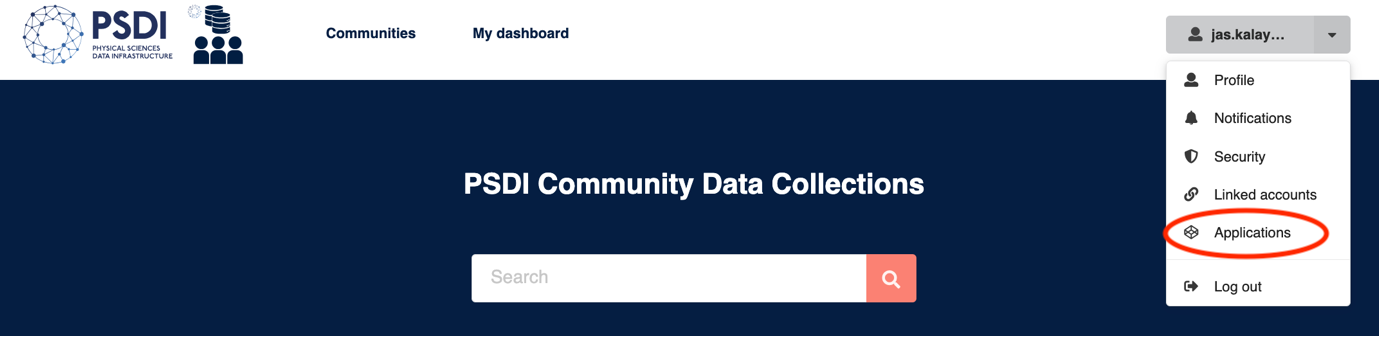
Once logged in, click on Account to display the dropdown menu and choose the “Applications” option
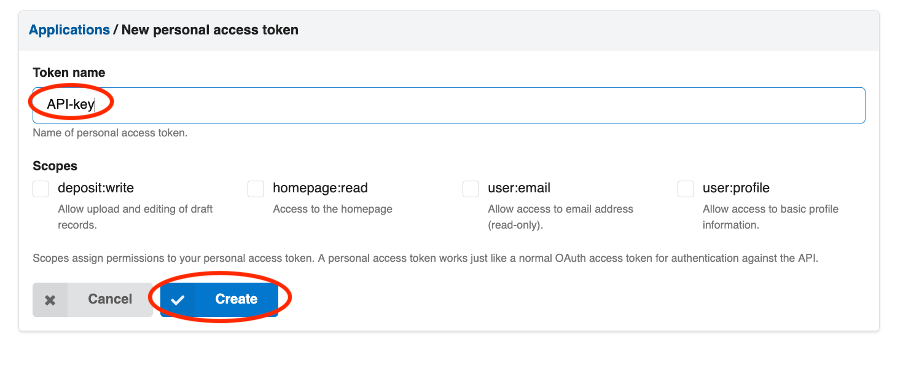
Add a new personal access token

Name the token, click create and save the subsequently displayed token securely, never share this token. This token will be used to access the repository via the API.
Software Installation
If you are running this notebook as a container, data-collections-API and its dependencies are already installed and you can continue to the next section. Otherwise, the API can be installed into a python environment by cloning the repository containing the code and install this into a python environment, as shown below.
# clone repository
! git clone https://github.com/PSDI-UK/data-collections-API

# Create and activate a new python environment
! conda create -n data-collections-API-env python==3.13
! conda activate data-collections-API-env

# Install the data-collections-API to your new python environment
%cd data-collections-API
! pip install .
Open this notebook whilst in your python environment when using the data-collections-API.
Submit Data for Review to the PSDI data-collections
Submission file template
To submit data to data-collections, a metadata file is required along with the files you wish to upload. A template for the metadata required to submit a record to the data-collections repository can be found in the record.yaml file.
Choosing a community
The deposition process for each community follows the same steps, however each community has its own domain specific metadata that can be populated in the submission file.
The domain-specific metadata (DSMD) section varies between communities, please see what metadata terms are available for your community, either by exporting an existing record uploaded to the community and viewing the DSMD list, or contact your community directly for this list.
Once your metadata file is filled in, you can validate it via:
! data_collections validate record.yaml
Once your metadata is validated, you can submit your data for review by setting the variables below and using the data_collections upload command.
REPOSITORY_URL="https://data-collections.psdi.ac.uk/api" # URL for data-collections API
TOKEN="XXX" # token generated in previous steps
METADATA_PATH="record.yaml" # path to your metadata file
DATA_PATH="my_data/*" # path to your data
COMMUNITY="biosimdb" # set applicable community name
! data_collections upload --api-url {REPOSITORY_URL} --api-key {TOKEN} --metadata-path {METADATA_PATH} --files {DATA_PATH}
--community {COMMUNITY}
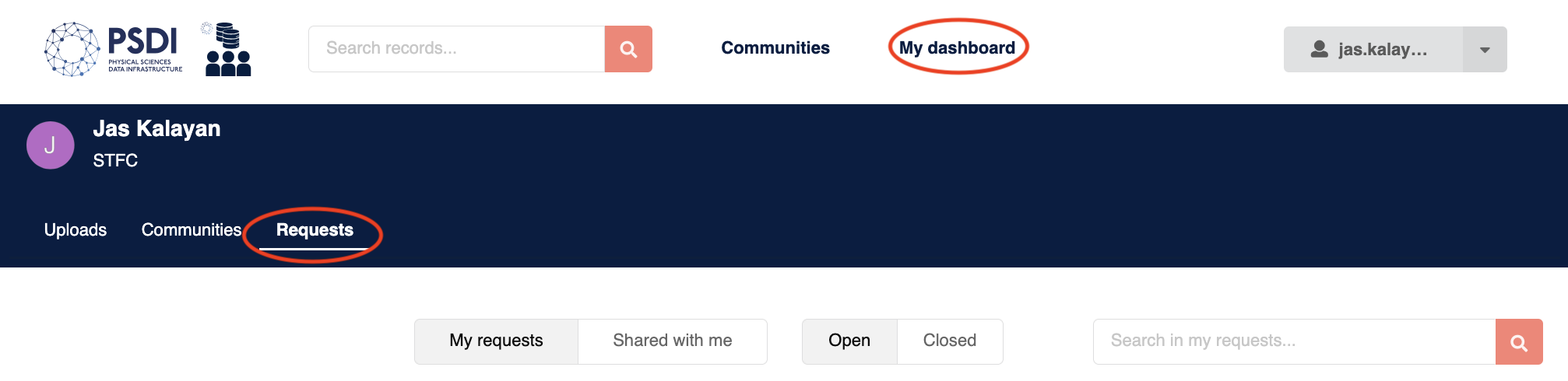
Once your record is submitted for review, you will be able to see the status of the record as a request on your dashboard in data collections.